


 Monitoring
Notifications and Alerts
When NetEye.Cloud discovers a problem via monitoring, it needs to let a pre-defined set of people know that some unusual or important event has occurred.
Even before an event occurs, you must set alerts that specify the conditions that indicate whether an event is important or not, for instance when a service transitions to Critical. If it meets these conditions, we call the event an incident, and we want to send a message, or notification, so that the problem can be corrected.
When an incident occurs, NetEye can send messages with actionable information to administrators or users. But to do that, it first needs to know:
The content that needs to be communicated, including the objects being monitored that are affected, their current state, the time the event happened, and potentially a recommended course of action.
Exactly whom to send a message to – This can be a single person, a group of people, or even conditionally a person or group depending on the specific characteristics of the event or object (e.g. a Windows versus Linux host) involved, or the severity of the issue. In NetEye.Cloud this is managed with Contacts and Contact Groups, and annotations on monitored objects.
What method to use to send that message – This can depend on whether an operator is currently logged in or not, and how urgently the contact(s) need to respond. Message methods may include onscreen notes, email, or SMS messages.
How important the message is, where more urgent messages may require more immediate media, such as telephone notifications instead of email.
In terms of severity, notifications are informational messages about changes that users should be aware of, but are less important than alerts, which mean that something serious is occurring and action needs to be taken quickly.
NetEye.Cloud Support will help you define the parameters above, even including setting up an SMS gateway to get immediate notifications sent to your phone.
Users and User Groups
In NetEye, a user represents a contactable person who can receive notifications. Each user must be assigned at least one e-mail address, which NetEye uses as the default delivery address for notifications.
Note
For purposes of notification, users in this context are not the same as users of NetEye as defined by their user name.
Every user is configured with two additional preferences: the time periods during which that person is willing to receive notifications, and the specific monitoring object states and transitions they are interested in hearing about (for example, a host changing state from Up to Down). This allows fine-grained control over who is notified, when, and under what circumstances.
A user group is a collection of specific, individual users. Rather than assigning users one by one to each host or service object, an administrator can assign a user group to that object, and all members of that group will be treated as eligible recipients for notifications pertaining to that object.
This simplifies configuration considerably in environments with a large number of objects and users, because changes to group membership are automatically reflected across all objects referencing that group.
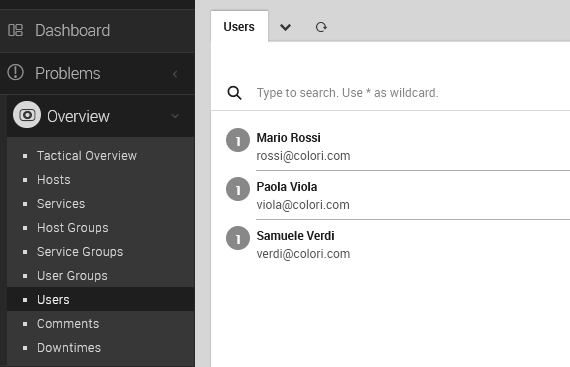
Fig. 210 The user contact details panel
At a minimum, a user record must contain:
A username (but again not the same as a NetEye.Cloud login)
A display Name (which can include spaces and full punctuation)
An email address (an SMS gateway can also be configured)
Once a user has been created, it can be added to one or more User Groups.
Understanding When and Why You Receive Notifications
When an object’s status changes, NetEye.Cloud determines whether a notification should be sent for the new state. If so, it identifies all end users eligible to receive notifications for that object, retains only those interested in notifications for that particular state change, and then delivers the message via the listed contact method for each one.
Additionally, each user can have two aspects of their Notification preferences configured independently: the time windows during which they wish to receive Notifications, and the Object states and transitions they are interested in.
Notifications will also not be sent if the object in question is in scheduled downtime, in an Unreachable state, or if the new state has been acknowledged in the intervening time.

