


 Monitoring
Scheduled Downtime
Monitoring hosts or services is what lets us know when they go down or stop working, so we can then quickly restart them. In general this is a problem we want to avoid.
But purposefully planning to take a system down for a brief period ahead of time (scheduled downtime) has a number of advantages:
It gives you a chance to regularly apply security patches and other updates
Using that time for maintenance can help prevent unpredictable, unscheduled downtime that can require even more time to fix
You can pick a time that’s good for everyone, so that no one notices the system is down, like low traffic periods
With announcements in advance, everyone knows the system will be down at a particular time, so you won’t get complaints or tons of Support tickets
When you prepare a downtime announcement, you’ll need to know:
When the period begins and ends (and thus its length)
What systems are affected
Which services on those systems will be affected
Who needs to be notified
Using Downtime in NetEye
To see current Downtime alerts in effect, go to the left-side menu to Overview > Downtime:
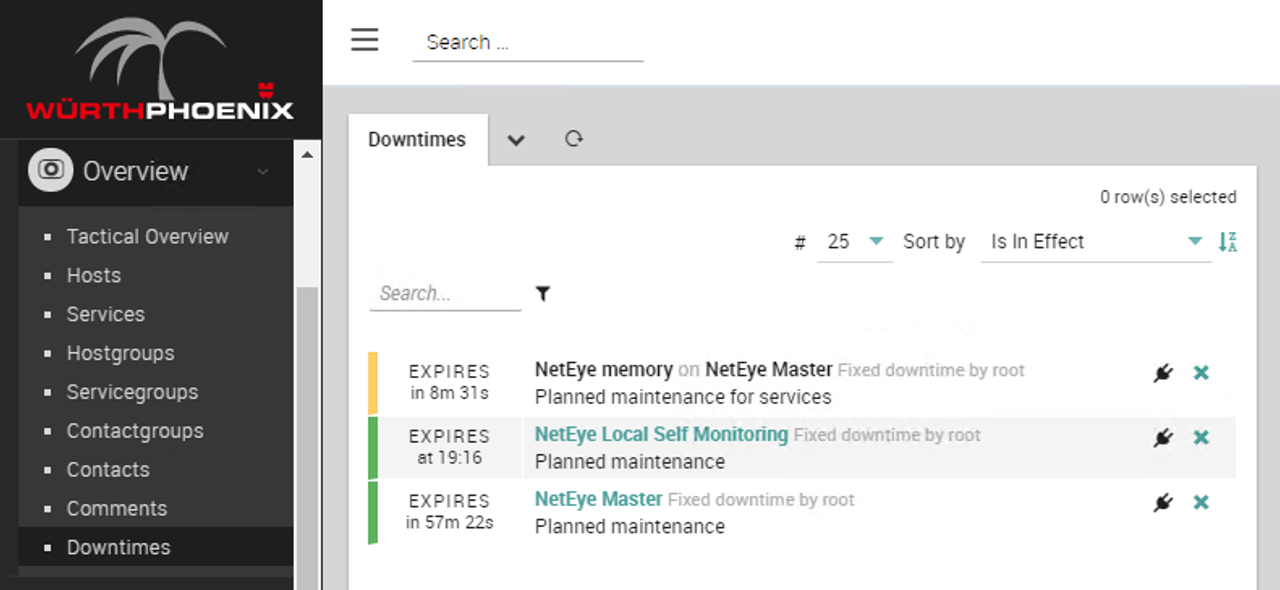
Fig. 208 Seeing scheduled downtimes that are currently in effect
If you’re at a host or service details panel, you can click on the Downtime action to schedule downtime for that particular host. It will open a mini-form inline where you can insert the necessary information without leaving the details panel.
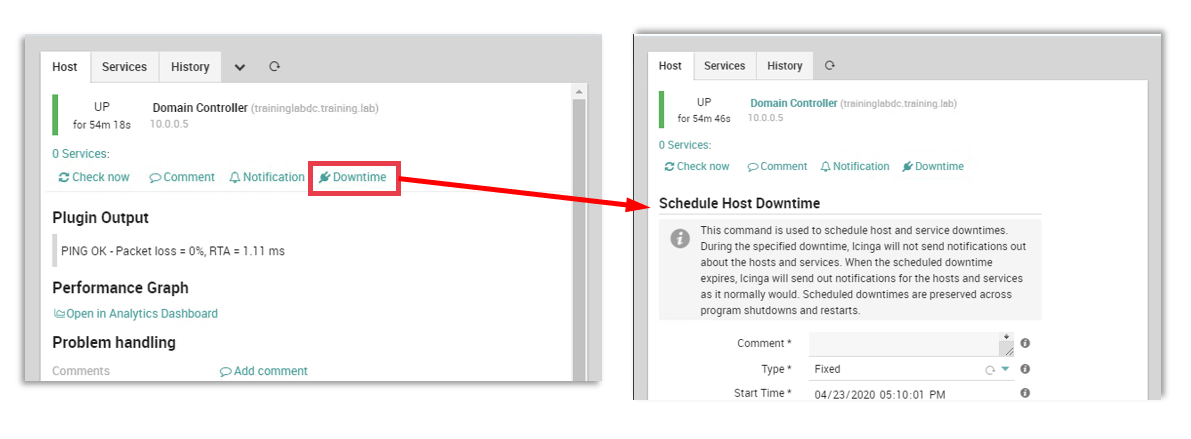
Fig. 209 Adding a new scheduled downtime from a Host Details view
You can also schedule downtime for multiple hosts or services in a list by selecting them with the shift key.
Note
Icinga 2 allows for flexible downtime where you create a window within which a downtime can occur, recurring downtime where you can define a TimePeriod range, and triggered downtime where one downtime initiates another when the first one completes.
Downtime and Notifications
Before a notification is sent out because a host is down or a service is in a critical state, NetEye first checks whether that host/service is in scheduled downtime.
If it is, the notification is not sent, because the purpose of notifications is to alert administrators that the host/service is unexpectedly down, whereas with scheduled downtime everyone has been given advance notice.

