


 Monitoring
Organizing with Groups
Although you can inherit the properties of your hosts and services from Host Templates and Service Templates, that’s only one possible way to distinguish them.
You can create Hostgroups and Servicegroups from within Director (or use the predefined ones in the NetEye Expansion Packs) and then view them within the Overview section in the left side menu. This view shows hosts and service states in aggregation, as shown here:
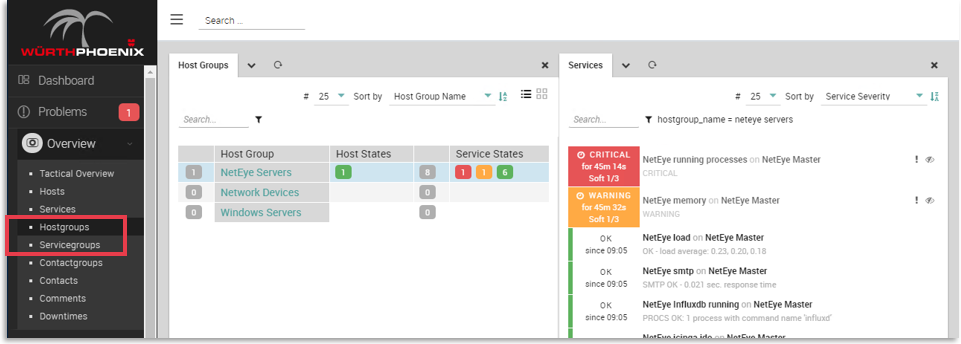
Fig. 198 Viewing host groups and service groups
Groups can be created either by direct assignment, or by adding a tag that is used as the inclusion criteria in an existing group. You cannot, however, nest one group within another group.
Groups can also be used like tags are, which can be useful for RBAC, Notification management and so on.

