


 Monitoring
Finding and Filtering Hosts
The NetEye.Cloud interface helps you easily search for a host if you know part of the host’s name or its IP address from the Search field on the Host View page.
If you need to search on other criteria, or you have more complex logical relationships between criteria, clicking on the “funnel” icon next to the Search field will bring up an editor that lets you create filter functions dynamically.
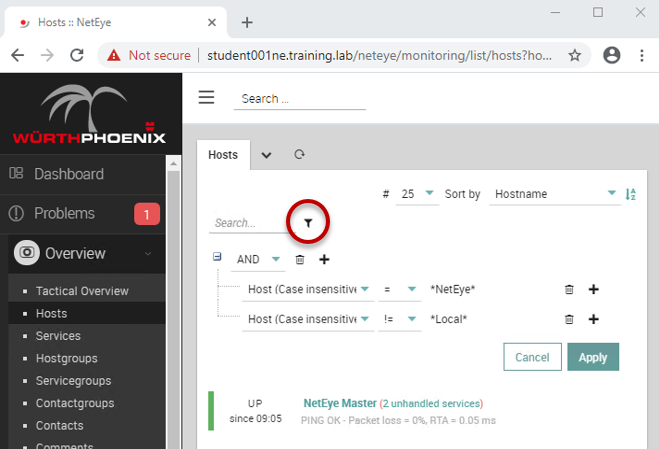
Fig. 195 Complex searching for monitoring objects via the Funnel filter
You can select the logical condition and comparison values for each line, as well as add or delete lines using the appropriate icons.
You can also create filters with nested levels in order to combine multiple logical operators across various criteria.

