


 Monitoring
AutoDiscovery
As your computing environment changes, monitoring settings can become outdated over time. To keep those configurations aligned with infrastructure changes, NetEye.Cloud AutoDiscovery continuously and automatically scans for hardware and service changes, imports them, and manages them as monitored objects.
With AutoDiscovery, teams don’t need to request individual additions or removals as their environments evolve. It reduces manual setup, avoids monitoring gaps, and prevents obsolete checks from accumulating.
AutoDiscovery checks hosts and creates monitoring objects for new components. Different discovery types can be set for different hosts, making it practical for environments where application installations, service retirements, and storage changes happen regularly. You can create your own matching discovery rules to filter over custom variables, services by name, or even excluding removable drives.
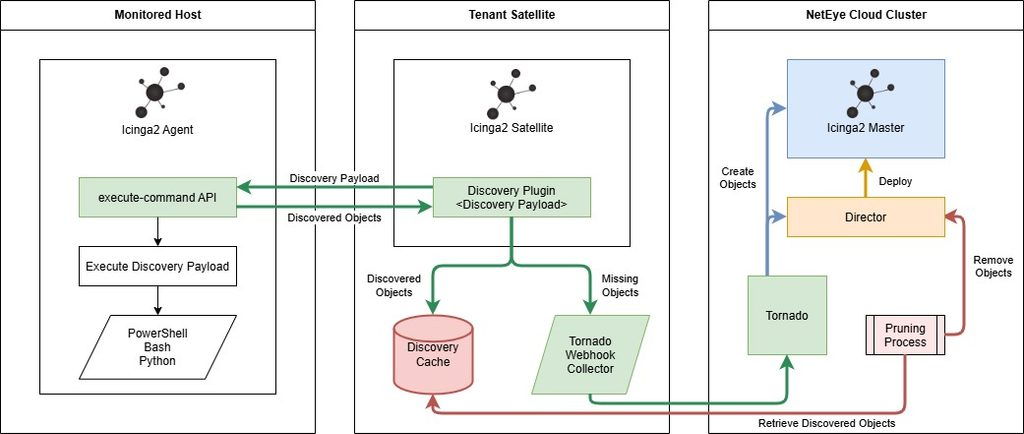
Fig. 213 How AutoDiscovery works
Discovery uses a host’s Icinga 2 Agent, with discovery plugins centrally maintained on the NetEye.Cloud Satellite, so customers don’t need to install or maintain additional plugins on every endpoint. It supports:
Windows Services and volumes on Windows servers and workstations
Preservation of user customizations
Removal of only those obsolete objects it itself created
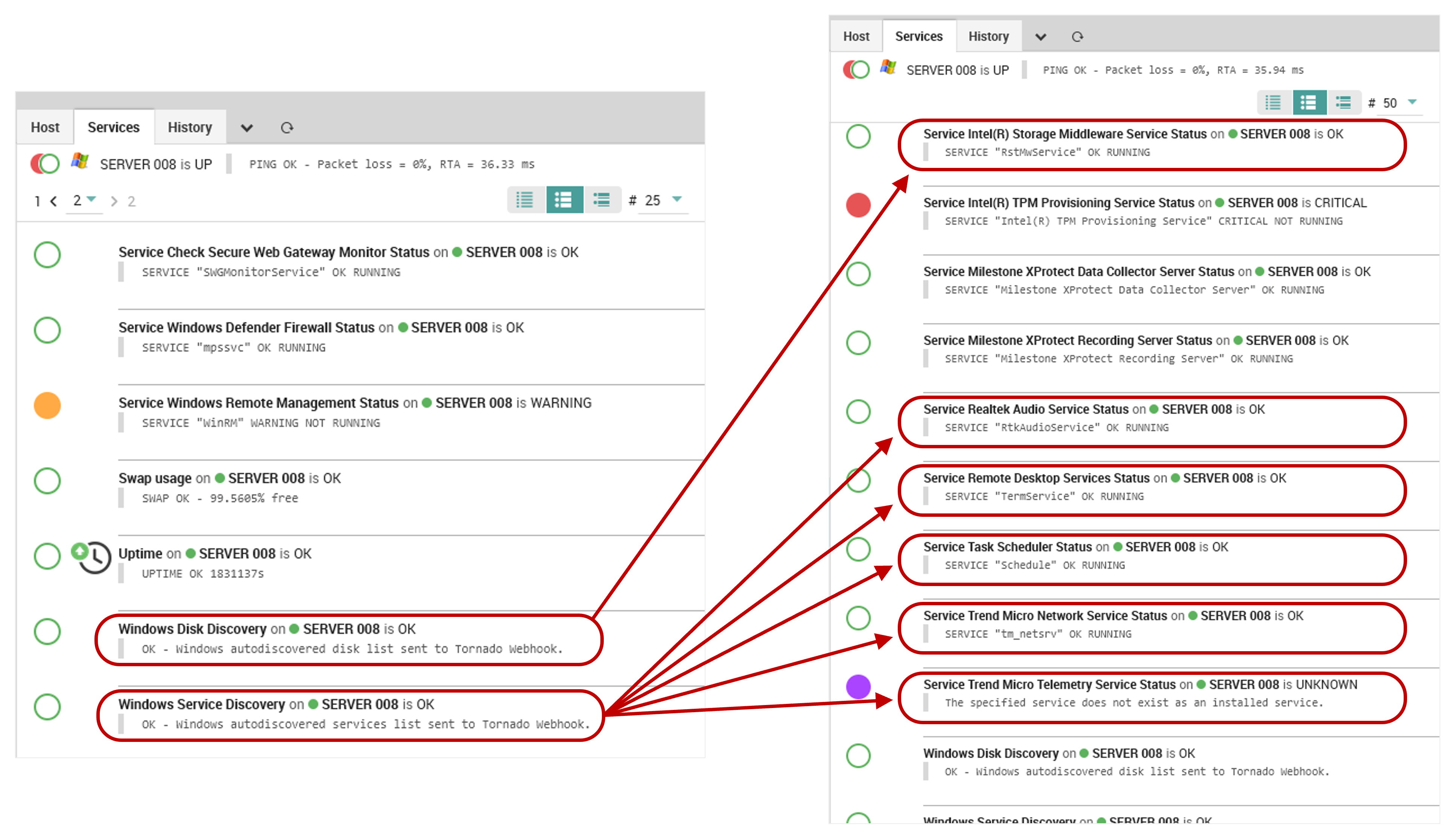
Fig. 214 Services now monitored (right) due to AutoDiscovery on a Windows host (left)
Because of the additional monitoring objects that AutoDiscovery adds, activation must be explicitly requested through the Support Portal.

