


 Cyber Threat Intelligence - SATAYO
Intelligence Requirements
General info
As mentioned in the getting started page, Intelligence Requirements phase document outlines the specific needs and criteria for intelligence gathering and analysis within an organization. It serves as a foundational guide for intelligence operations, ensuring that all activities align with the strategic objectives and priorities of the organization. In the context of SATAYO platform, it assists in defining the scope and focus of intelligence efforts, enabling more effective decision-making and resource allocation.
The first step in collecting the Requirements is to identify the what can be considered relevant for routines performed by SATAYO and its related workflow.
Gathering the Requirements
For better achieving this phase, we defined an introctive questionnaire that could be used as a reference during the onboarding phase. The form could be compiled together with the analyst who will conduct the onboarding phase, or it could be filled independently by the organization.
The following are the items that the organization is required to provide:
Name, surname, and email address of people who need to access the platform
Mobile applications published on different stores for products and services managed by the organization
Repositories hosted on GitHub for projects managed by the organization
IP addresses and IP blocks managed directly
Exposed resources and assets considered critical
List of keywords useful for identifying products and services managed by the organization
BIN (Bank Identification Number) for credit cards issued by the organization (if operating in the banking/financial sector)
List of technologies that are considered a priority for the management of Early Warning on the same
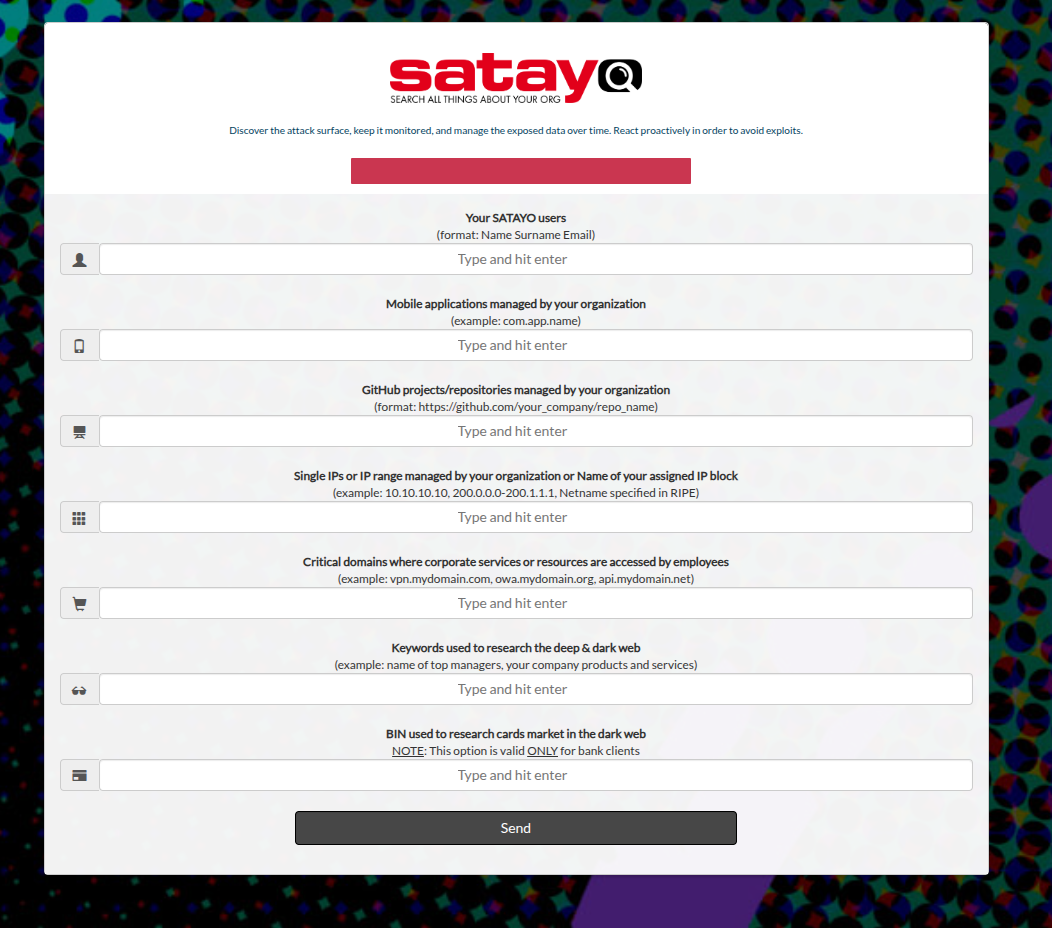
SATAYO also provides multiple sections for autonomous configuration of some monitoring elements, such as keywords, domains, and social media accounts.
Configuring VIP accounts
The email section allows you to define VIP accounts that require special monitoring attention. These accounts may belong to high-profile individuals within the organization, such as executives or key personnel, whose online presence and activities could be of particular interest for security monitoring. Also it lets you specify unused email addresses related to disabled or deprecated users or mailboxes.
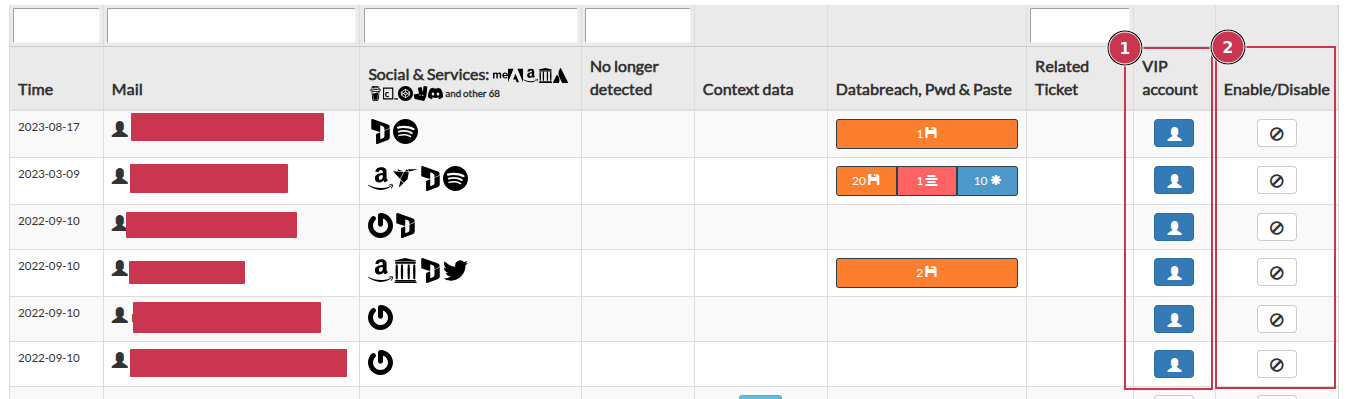
Navigate to the “Email” section in the SATAYO platform. There you could find the list of monitored email addresses.
Button let you define if an email belong to a VIP account.
Button let you specify unused email addresses related to disabled or deprecated users or mailboxes.
Note
SATAYO let you import also a list of personal email addresses that could be related to employees of the organization. A ticket can be opened using the request form to ask for the addition of other email addresses. More information about this feature could be found in the section Email Monitoring.
Define keywords and identity for Ransomware Monitor
The Ransomware Monitor section allows you to define keywords and identity information that will be monitored for potential threats related to ransomware activities. By specifying relevant keywords and identity details, the organization can enhance its ability to detect and respond to ransomware threats in a timely manner.
This section allows the input of keywords commonly used in ransomware-related communications, as well as identity-related information that may be targeted by ransomware actors. It helps tailor the monitoring process to the organization’s specific context.
The purpose of this section is to enhance the organization’s ability to detect and respond to ransomware threats by focusing on relevant keywords and identity information, while also identifying any incidents that could potentially lead to a supply chain attack.
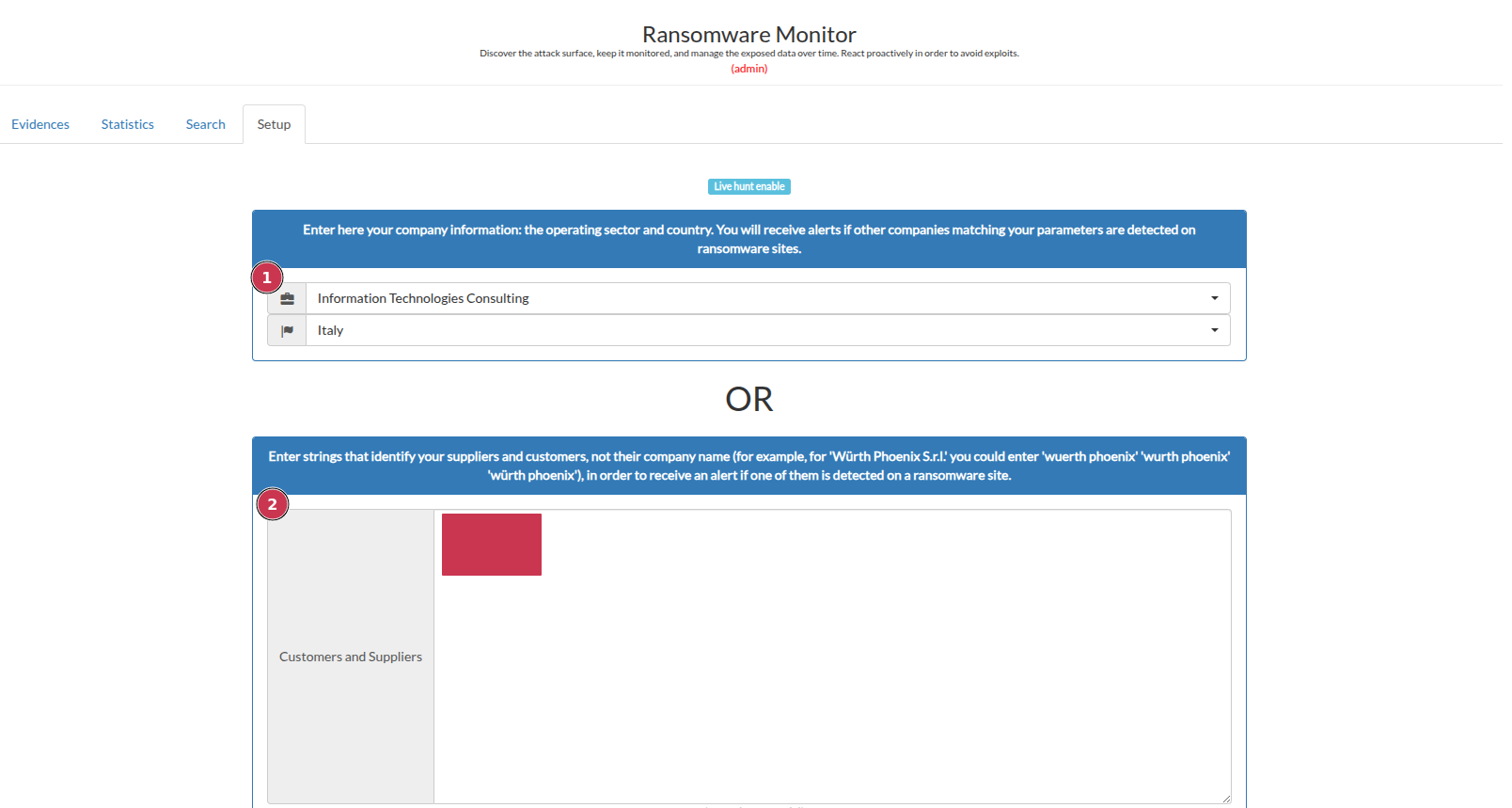
Define keywords and geographic areas that could be relevant for monitoring.
Specify keywords that could be relevant for monitoring ransomware-related activities and incidents (When setting keywords, consider the ransomware gangs’ modus operandi when publishing the names of victim organizations. The exact name of the victim company is unlikely to be published (for example, $Company_Name GMBH is unlikely to be published, but $Company_Name is more likely).
Import and configure legitimated favicon icon
As described in the Favicon Items section, SATAYO platform allows you to import and configure legitimated favicon icons that are associated with the organization’s online presence. By defining these icons, the organization can enhance its monitoring capabilities and improve the accuracy of threat detection related to its digital assets.
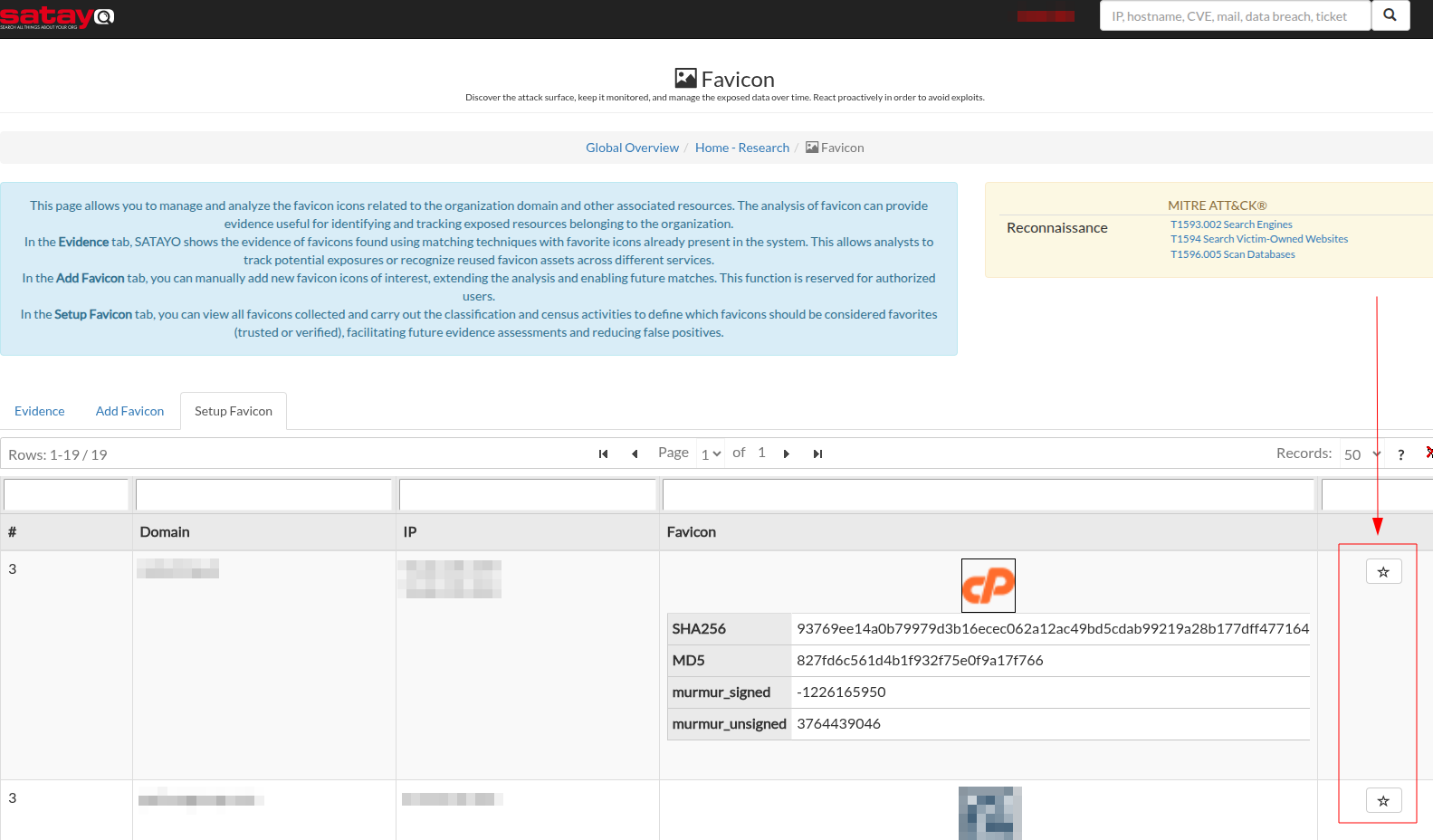
The favicon section allows you to upload and manage a list of favicon icons that are considered legitimate for the organization. In the first page you can set a legitimate URL, SATAYO will automatically fetch the related favicon icon and it will calculate its hash value for future monitoring activities.
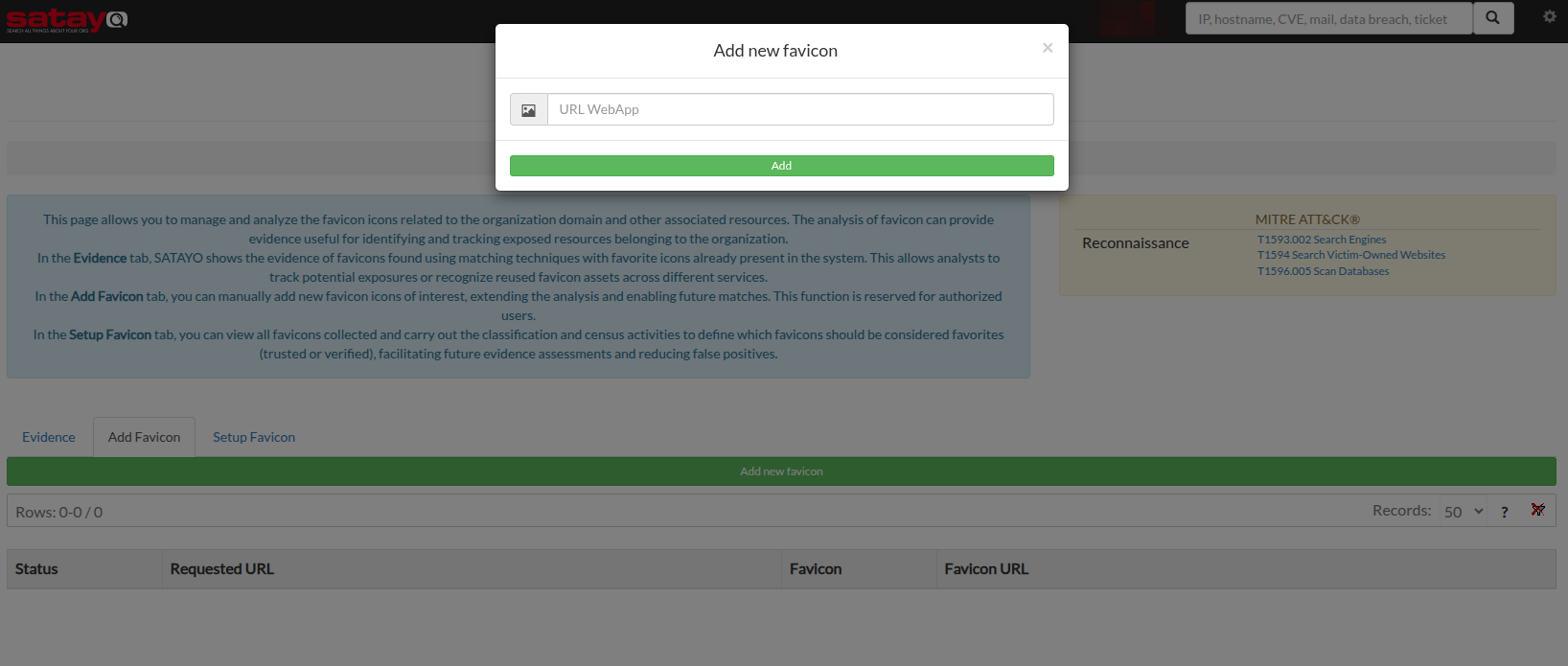
Starting from the monitored URL, SATAYO will periodically check for any new favicons associated with the domain. If a new favicon is detected, it will reevaluate its hash value and it will store the new icon in the platform database. After that, the new favicon will presented to our CTI team for validation and eventual inclusion in the list of legitimated icons. You can directly force the addition of a new favicon by clicking on the “Star” button.
Note
During the recoursive meeting with the organization, the analyst will review the form and discuss with the organization the answers provided, in order to clarify any doubts and ensure that all relevant aspects are covered.
It is essential to have a clear understanding of the organization’s needs and priorities to tailor the intelligence gathering process effectively, but using JIRA platform as a communication channel and periodic meetings, the analyst could refine the requirements over time, adapting to any changes in the organization’s context or objectives.
In the event of any change or update, the organization can align its requirements by opening a JIRA ticket and specifying SATAYO information request as a section. The CTI team will review and validate the request and, if permitted under the current license, the perimeter will be updated accordingly.

