


 Visual Monitoring with Alyvix
RDP Client
The RDP Client is used to build new Alyvix test cases, modify existing ones, and even fix broken test cases. For example, it can be used to troubleshoot issues if Alyvix becomes unresponsive or goes down.
This guide provides instructions on setting up and using an RDP client to connect to monitored nodes and manage test cases.
Prerequisites
Before using the RDP client, ensure the following:
An RDP client is installed on your workstation:
Linux: Use Remmina Remote Desktop Client or other preferred RDP client
Windows: Use the native RDP client for Windows
Access credentials for the monitored node, including: - Username and password - Domain (if applicable)
Knowledge of the session details for the node you want to connect to.
Launching an RDP Connection
To create a new connection in the RDP Client:
Click New Connection (or similar) in the RDP Client interface.
Provide the following details:
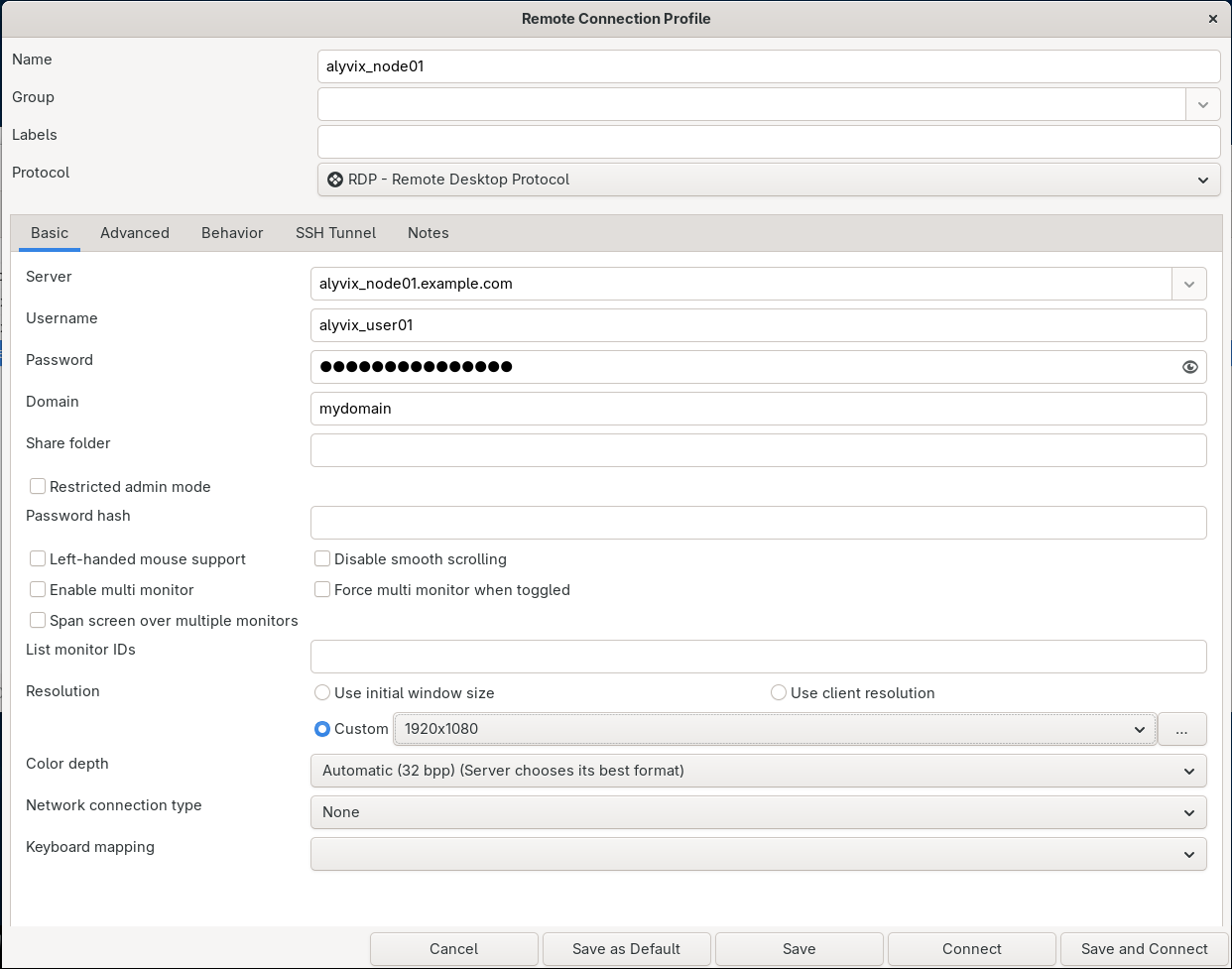
Fig. 154 The RDP Client connection details
Note
For looking up certain details that are to be provided for establishing a new connection, open the NetEye Alyvix UI and navigate to the Nodes page. From there you can select a Node and review all available sessions in the Sessions tab.
Name: A descriptive name for the connection
Server: The Alyvix node host name
Username: Found in the Session tab of the Node details
Password: Your known session password
Domain: Ensure the username does not include the domain
Resolution: Use the value from the Display details in the Session tab
To guarantee proper test case execution, configure the highest quality settings. If the quality is not set to its highest, the testcase that you are creating will likely not work at all:
Linux (Remmina): Go to the Advanced tab and select Best (slowest) for Quality
Save the connection details.
Connecting to a Node
Select the newly created connection in the RDP Client.
Click Connect.
Upon a successful connection, you will log in to the remote Windows machine.
You can now use the Alyvix Editor to build, modify, or repair test cases directly on the Node.

